Why Does My Computer Keep Freezing During Startup?
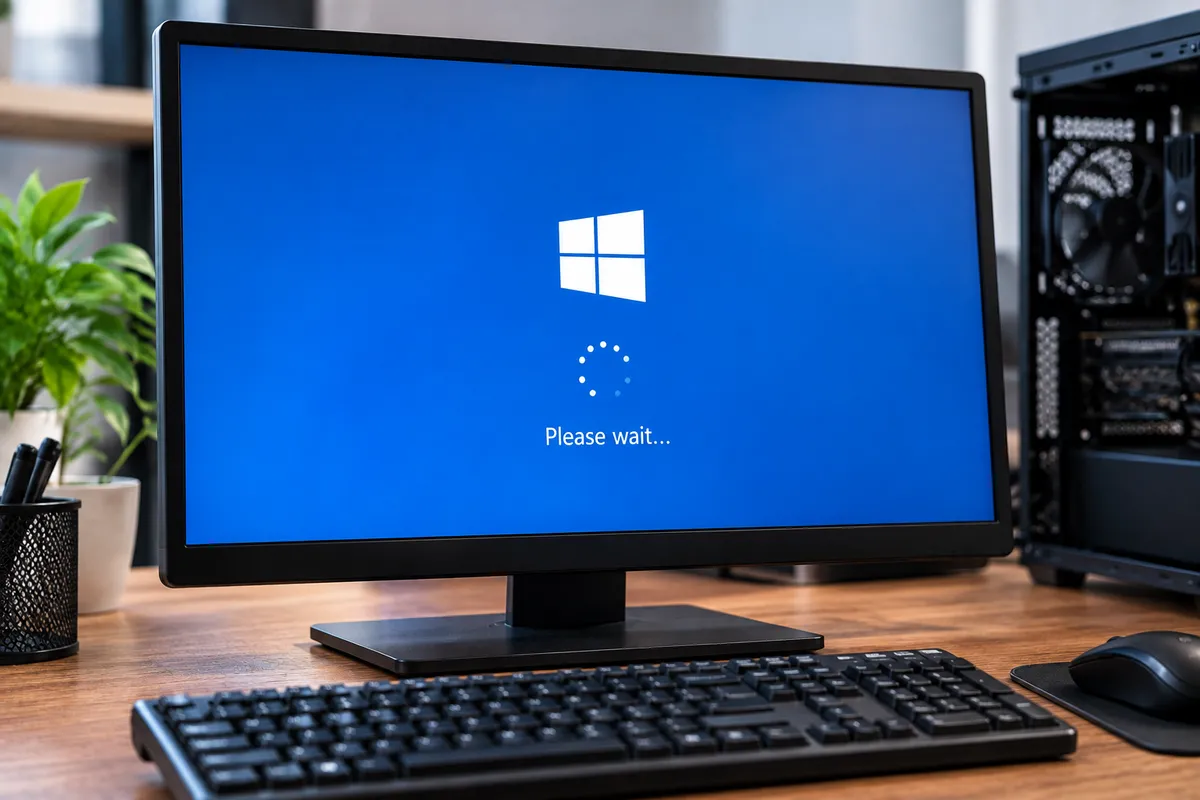
A computer that freezes during startup can be difficult to diagnose because the problem happens before you can use the system normally. The PC may stop on the manufacturer logo, freeze while Windows is loading, restart repeatedly, or reach the desktop and become unresponsive.
Startup freezing can be caused by software problems, failing storage, memory issues, corrupted system files, problematic drivers, overheating, or other hardware faults. The timing of the freeze often provides clues about where the startup process is failing.
Quick Repair and Electronics provides computer repair in NYC for startup problems, freezing, slow performance, and hardware faults. Proper diagnosis can identify whether the problem comes from Windows, the hard drive or SSD, or RAM.
What Does It Mean When a Computer Freezes During Startup?
When a computer starts, the motherboard checks essential hardware, the BIOS or UEFI initializes components, the system identifies the storage drive, and Windows begins loading drivers and services.
If the computer locks up before the Windows logo appears, hardware may deserve more attention. If Windows starts loading and then freezes, software, drivers, storage, or corrupted system files may be more likely.
Several failures can produce similar symptoms, so testing is more reliable than guessing from one sign.
A Failing Hard Drive or SSD Can Cause Startup Freezing
Storage problems are one of the key possibilities when a computer freezes while booting.
Windows and its startup files are stored on the hard drive or SSD. If the drive has difficulty reading those files, the computer may take unusually long to load, stop responding, restart, or fail to reach the desktop.
Warning signs include slow file access, disk errors, corrupted files, frequent freezing after Windows loads, or clicking from a mechanical hard drive.
Hard drives can develop physical problems over time, while SSDs can fail because of controller issues, memory wear, firmware faults, or electrical damage.
If important files are stored on an unstable computer, avoid repeated forced restarts. If the storage device is failing, protecting the data may need to become the priority. Quick Repair and Electronics also provides data recovery in NYC for inaccessible or failing storage devices.
RAM Problems Can Stop the Computer From Starting Normally
RAM holds temporary information the computer needs while Windows and programs are running.
Faulty, unstable, or poorly seated memory can cause startup freezes, crashes, black screens, restart loops, or unpredictable errors.
A RAM problem may appear after a computer has been moved, upgraded, cleaned internally, or serviced. Memory can also fail without an obvious event.
Some computers display diagnostic lights or beep codes when memory is not detected correctly. Others simply freeze.
Memory testing can help determine whether RAM is contributing to the startup problem. Users uncomfortable working inside a PC should leave hardware testing to a technician.
Windows Updates and Corrupted System Files Can Cause Freezing
Not every startup freeze is caused by hardware.
A failed Windows update, damaged system file, interrupted installation, or corrupted startup configuration can prevent the operating system from loading normally.
If the computer worked correctly before an update or unexpected shutdown and began freezing immediately afterward, software should be investigated.
Windows may enter automatic repair or recovery mode after repeated startup failures. Recovery tools can help, but reinstalling Windows should not be the first response when important files are stored on the computer.
The storage hardware should also be checked if system corruption keeps returning because a failing drive can repeatedly damage files.
Driver Problems Can Freeze a PC During Boot
Drivers allow Windows to communicate with hardware such as graphics cards, network adapters, and storage controllers.
A corrupted, incompatible, or recently updated driver can cause the computer to freeze while Windows loads.
Safe Mode can sometimes help separate software problems from broader hardware issues because it starts Windows with a reduced set of drivers and services. If the computer works normally in Safe Mode but freezes during a standard startup, software or driver troubleshooting becomes more relevant.
Too Many Startup Programs Can Make the System Seem Frozen
Some computers finish starting but feel frozen because too many programs launch at once.
Cloud applications, security software, and update utilities can compete for processor, memory, and storage resources after login.
If the desktop appears but programs stop responding for several minutes, startup load may be contributing. Disabling unnecessary startup applications can help, but severe freezing should still be checked.
Overheating Can Contribute to Freezing
Dust-clogged heatsinks, failed fans, restricted airflow, or deteriorated thermal material can cause components to run hotter than expected.
If the PC freezes after running for a short time, restarts under load, or has unusually loud fans, temperature should be considered. Cleaning may help when dust is the problem, but repeated overheating can indicate a failed fan or another hardware issue.
External Devices Can Interfere With Startup
USB drives, external hard drives, printers, hubs, and other peripherals can occasionally interfere with startup.
The BIOS may try to boot from the wrong device, or a damaged peripheral may prevent Windows from loading normally.
Disconnect nonessential external devices and try starting the computer again. If the PC starts normally after a particular device is removed, that device or its driver may deserve further testing.
What If the Computer Freezes on the Manufacturer Logo?
A freeze before Windows begins loading can point more strongly toward hardware initialization, BIOS settings, storage detection, or a connected device.
The computer may be waiting for a drive that is not responding, struggling with unstable memory, or encountering a motherboard-related problem.
If the machine repeatedly stops at the same early startup screen, professional hardware diagnostics may be the fastest way to isolate the failure.
Should You Keep Restarting a Frozen Computer?
An occasional forced shutdown may be unavoidable when a system is completely unresponsive, but repeatedly forcing the computer off is not a good troubleshooting strategy.
Unexpected shutdowns can contribute to file corruption and may place additional stress on a failing storage device.
If the PC contains important documents, photos, business files, or other irreplaceable data, mention that before repair work begins. A technician can determine whether data protection should take priority over trying to make Windows start normally.
When Should You Have the Computer Professionally Diagnosed?
Professional diagnosis is recommended when the computer freezes during most startups, repeatedly enters a restart loop, shows storage errors, produces unusual hard drive noises, or becomes progressively less stable.
It is also worth getting help when the problem follows a power outage, hardware upgrade, liquid exposure, overheating event, or internal repair.
The goal is to identify the failing component or software condition before replacing parts or reinstalling the operating system unnecessarily.
Computer Startup Freeze Repair in NYC
A computer that freezes during startup can have a problem with storage, RAM, Windows, drivers, cooling, connected devices, or other hardware.
Quick Repair and Electronics can evaluate the startup behavior, test relevant components, and determine what is preventing the system from loading reliably.
If your desktop repeatedly freezes while booting, visit our East Village location for professional computer repair in NYC. Our team can inspect the system, explain what we find, and discuss the repair options that make sense for the condition of the computer.