Can Data Be Recovered From a Laptop That Won’t Turn On?
A laptop that will not turn on can feel like a total loss, especially when important documents, photos, work files, or personal records are stored on it. The good news is that a dead laptop does not automatically mean the data is gone. In many cases, the failure is in the battery, charging circuit, motherboard, display, or another component while the storage drive remains readable.
Quick Repair and Electronics provides data recovery in East Village, NYC for inaccessible files on supported laptops and storage devices. The recovery path depends on what failed, what type of storage the laptop uses, and whether the drive itself is healthy.
The Laptop and the Storage Drive Are Different Problems
A laptop needs several systems to start: power delivery, motherboard logic, memory, display output, and storage. If one of the non-storage components fails, the machine may appear completely dead while the SSD or hard drive still contains intact data.
That distinction matters because repairing the laptop and recovering the files are not always the same job. If the data is the priority, a technician can focus first on whether the storage can be accessed safely rather than making the entire laptop operational.
When Recovery Is Often More Straightforward
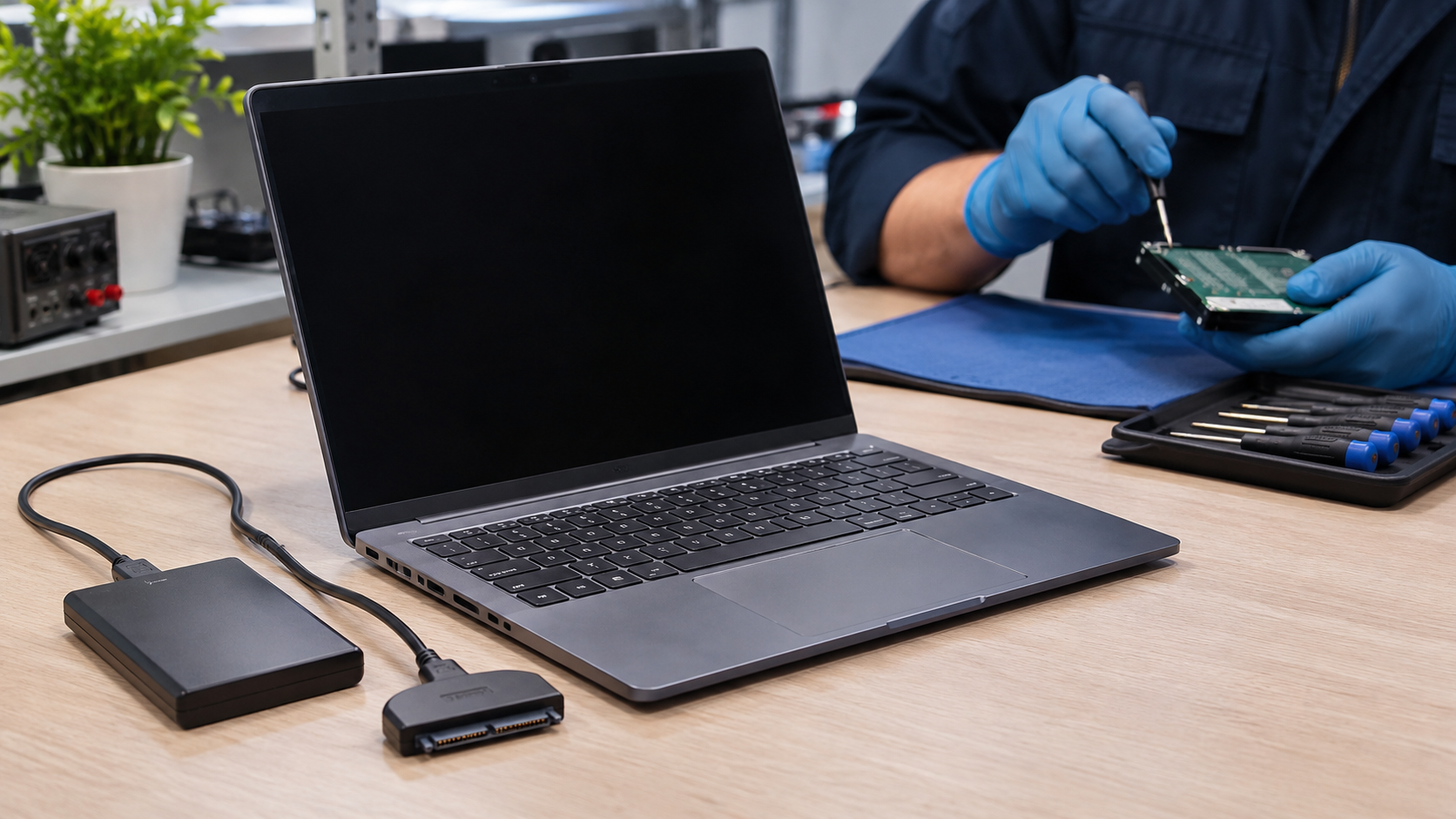
Recovery may be relatively simple when the laptop has a removable SATA SSD or hard drive that is still healthy. The drive can sometimes be connected to another system or appropriate equipment and read independently from the failed laptop.
The same principle may apply to some removable NVMe drives. However, the drive should be handled carefully, especially if the laptop failed after a power event, liquid exposure, or physical impact. A storage device that looks normal externally can still have controller or file-system problems.
Modern Laptops Can Make Recovery More Complicated
Many newer laptops use storage that is soldered directly to the motherboard or tightly integrated with the system. Some devices also use hardware encryption, security chips, or operating-system encryption that ties access to the original hardware and credentials.
In those cases, recovery may depend on repairing enough of the motherboard to access the data rather than simply removing the drive. That is one reason it is useful to know the laptop model and whether encryption or device passwords were enabled.
Power Problems Do Not Automatically Mean Storage Failure
A laptop that does nothing when the power button is pressed may have a failed charger, battery, charging port, power circuit, or motherboard component. None of those failures necessarily damages the data.
Likewise, a black screen can be mistaken for a dead laptop even when the system is actually running. If fans spin, keyboard lights appear, or startup sounds are present, the problem may be display-related. Proper diagnosis helps avoid unnecessary recovery procedures when the storage is not the cause.
When the Drive Itself May Be the Problem
Data recovery becomes more delicate when the storage device is also failing. Warning signs can include clicking from a mechanical hard drive, repeated boot loops, a drive disappearing from BIOS, corruption errors, extremely slow file access, or a history of sudden shutdowns.
Repeatedly trying to start a failing drive can reduce the chance of a clean recovery. If the files are important, stop experimenting with reinstallations, formatting, or multiple consumer recovery tools until the storage condition is understood.
Liquid Damage Changes the Recovery Strategy
A laptop that stopped powering on after a spill needs extra caution. Liquid can affect the motherboard, charging system, storage device, or all three. Continuing to connect power may worsen corrosion or electrical damage.
Tell the technician what liquid was involved and when the exposure occurred. If the storage is removable and unharmed, the files may still be accessible even if the motherboard cannot be economically repaired. If the storage is soldered, board-level work may be necessary before the data can be reached.
Decide Early Whether the Laptop or the Files Matter More
Repair decisions are easier when the priority is clear. Some customers want the laptop restored to working condition. Others mainly need family photos, business documents, school files, or project data and are willing to replace the computer afterward.
If the files matter more, say that before repair begins. That allows the technician to avoid unnecessary operating-system changes and focus on preserving the storage. Quick Repair and Electronics can also coordinate laptop repair when restoring the machine itself still makes sense.
Do Not Reinstall Windows Before the Data Situation Is Clear
A common reaction to a laptop that will not boot is to try recovery media, reinstall Windows, or reset the computer. Those steps may be appropriate for a software problem, but they can overwrite files or change the storage layout if data recovery is actually the priority.
If important files are missing from backups, avoid formatting, factory-resetting, or initializing a drive that suddenly appears unreadable. The first goal should be to understand whether the failure is in the laptop, the operating system, or the storage device itself. Once the data is secured, repair or reinstallation decisions become much safer.
Backups Determine How Urgent Recovery Becomes
A recent cloud or external backup can turn a dead laptop into a straightforward repair decision. Without a backup, the storage device may contain the only copy of family photos, tax records, school work, or business files. That changes the acceptable level of risk.
After recovery, it is worth building a backup routine that does not depend on the laptop staying healthy. Keeping at least one separate copy of important files makes future hardware failures far less stressful and gives technicians more freedom to repair or replace components without putting irreplaceable data at risk.
What to Bring With the Laptop
Bring the charger if you still have it, and provide any device password or recovery key that may be needed for encrypted storage. If you know the laptop was dropped, exposed to liquid, or failed after an update or power outage, mention that history. Small details can help determine whether the priority should be power diagnosis, motherboard work, or direct storage recovery.
Why Timing Still Matters
A dead laptop is not always an emergency, but repeated power attempts can become one if the storage device is also unstable. If the laptop failed after a drop, liquid spill, or electrical event, stop cycling the power simply to see whether it comes back. Preserving the current condition gives the technician a cleaner starting point and reduces the chance of adding heat, corrosion, or further drive stress before the files are evaluated.
Get Data Recovery Help in East Village, NYC
A laptop that will not turn on does not automatically mean its files are lost. The data may still be intact on the storage device even when the battery, charging system, display, or motherboard has failed.
Quick Repair and Electronics provides data recovery in East Village, NYC for supported laptops, SSDs, and hard drives. Bring the laptop in and explain what happened before it stopped working, whether there was a spill or power event, and which files are most important. Our technicians can evaluate the laptop and storage separately and explain the safest next step based on the condition of the device.