Why Is My Phone Screen Flickering After a Drop?
A phone screen that starts flickering after a drop usually means something in the display system has been damaged or loosened. The phone may still turn on and respond to touch, but the image can flash, dim, show colored lines, or disappear. Sometimes the flickering begins immediately. In other cases, it appears later.
Quick Repair and Electronics helps customers with screen problems through professional phone repair in NYC. If your phone started flickering after a fall, the safest approach is to determine whether the issue is limited to the screen assembly or involves another component.
Why Can a Drop Make a Phone Screen Flicker?
A smartphone display connects to the main board through small connectors and flexible cables. A hard impact can damage the glass, OLED or LCD panel, display cable, or connector carrying image and touch signals.
This is why a phone can look normal outside and still develop display trouble after being dropped. The glass does not need to shatter for the internal screen to be damaged.
Flickering that appears when the phone is moved may suggest physical damage to the display connection or screen assembly rather than a software problem.
A Damaged OLED or LCD Panel May Be the Cause
Modern smartphones generally use OLED or LCD displays. Both can be damaged by impact even when the outer glass looks intact.
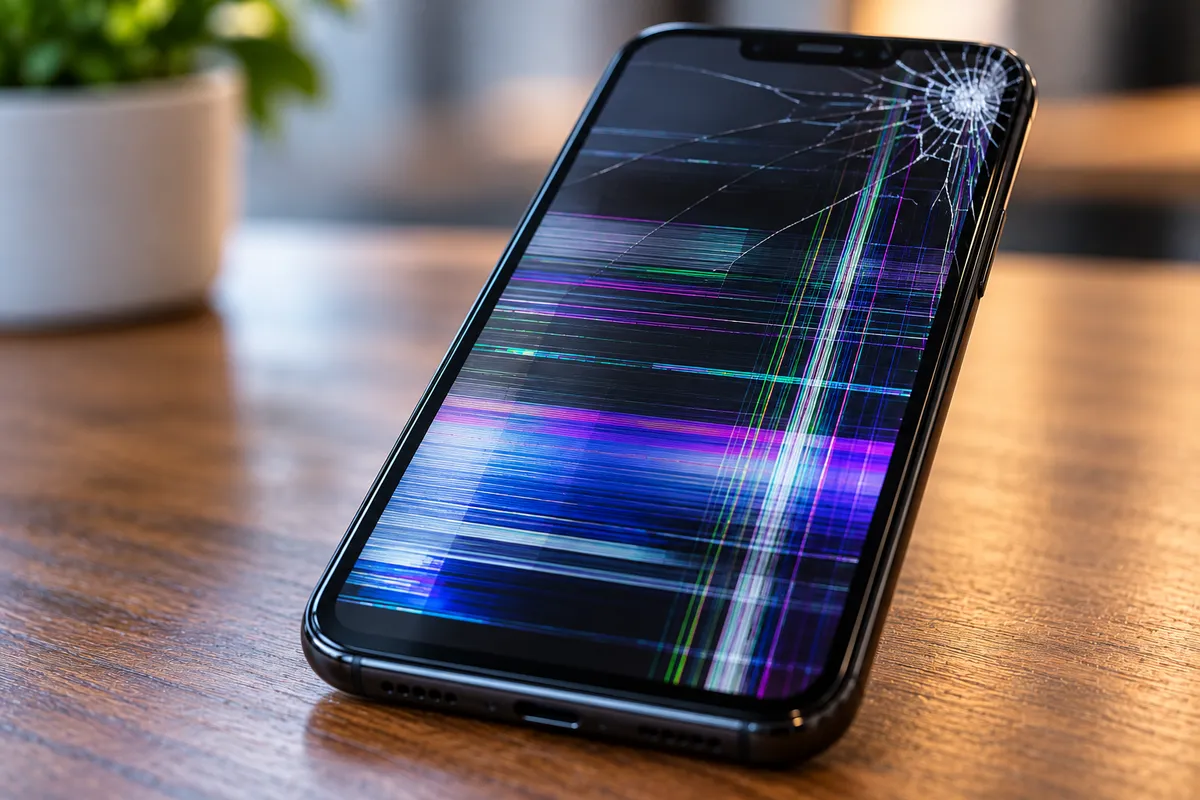
A damaged panel may cause flashing, black sections, brightness changes, colored lines, green or pink lines, distorted colors, or an image that comes and goes.
OLED damage can sometimes spread after the initial drop. A small black area or line may become larger after additional pressure.
If the flickering began directly after a fall, physical display damage should be considered before assuming the phone needs a software reset.
Could the Display Connector Have Come Loose?
A drop can affect the connection between the screen and the phone's internal board.
The display cable is designed to remain secure during normal use, but a significant impact can damage the connector, cable, or surrounding components. A weakened connection may cause an intermittent image instead of total failure.
The phone may flicker when picked up or moved.
Do not squeeze or press the screen to restore the image. Extra pressure can damage the panel, glass, battery, or internal components. Proper diagnosis requires opening the device using the correct procedure.
What If the Glass Is Not Cracked?
An uncracked screen does not rule out hardware damage.
The outer glass is only one part of the display assembly. The panel underneath can fail while the surface remains intact. The phone frame can also bend after an impact, stressing the screen or internal connectors.
This matters when the phone shows flickering, lines, black spots, touch problems, or discoloration after a drop.
A technician can compare the symptoms with the device's condition and determine whether the screen assembly is the likely source.
Can Software Cause Screen Flickering Too?
Yes. Software, display settings, or an app can sometimes produce flickering, but timing matters.
If the problem appeared immediately after the phone was dropped, physical damage becomes more likely. If flickering began without recent impact, software troubleshooting may deserve more attention.
Restarting the phone can rule out a temporary system problem. Operating system updates may also help when the issue is software related.
However, repeated factory resets are not a sensible first response after physical impact. A reset will not repair a damaged panel, cable, or connector and can create risk if important data is not backed up.
Watch for Touchscreen Problems and Other Display Symptoms
Screen flickering after a drop may occur with other symptoms.
The touchscreen may stop responding in certain areas, register touches that were never made, or become difficult to use. These unintended inputs are often called ghost touches.
You may also notice vertical lines, black patches, a green tint, brightness changes, or a screen that briefly goes dark.
If the display is difficult to control, avoid entering passwords, making purchases, or performing sensitive tasks until the phone is evaluated. Unpredictable touch behavior can select options unintentionally.
What If the Phone Screen Eventually Goes Black?
Flickering can sometimes progress into complete display failure.
A phone with a black screen may still be powered on. You might hear notifications, feel vibration, receive calls, or notice that it connects to a charger even though nothing appears.
Those signs can indicate that the screen failed while other parts still operate.
If the screen becomes black after flickering, avoid bending or pressing the device to make the image return. Continued pressure can turn repairable display damage into a more complicated problem.
Should You Keep Using a Phone With a Flickering Screen?
A mildly flickering screen may seem usable, but continuing to rely on it can create problems.
The display can deteriorate without warning, leaving you unable to access contacts, authentication apps, work information, or other data. If the phone remains usable, creating a backup is sensible.
Stop using the device and arrange inspection sooner if it becomes unusually hot, the frame is bent, the screen is lifting, or the battery appears swollen.
A lifting screen matters because battery swelling can push against the display inside the phone.
Can a Screen Replacement Fix Flickering After a Drop?
If testing confirms that the display assembly was damaged by the impact, screen replacement may resolve the flickering.
However, a replacement screen should not be recommended solely because the image is flashing. The phone should first be checked for frame damage, connector damage, battery problems, or other internal faults.
Replacing a screen will not solve a motherboard or power-related problem.
For Android devices, model-specific repair matters because Samsung, Google Pixel, Motorola, and other phones use different display assemblies. Customers with these devices can learn more through our Android phone repair service.
What Should You Do Right After the Screen Starts Flickering?
First, avoid unnecessary pressure on the display. Remove a tight case if it appears to press against a bent frame, but do not pry the phone open.
Restart the phone once to rule out a temporary system issue. If the flickering returns and began after the drop, treat it as potentially hardware related.
Back up important data when possible if the screen remains usable. Then arrange an inspection rather than waiting for complete display failure.
When you bring the phone in, explain how far it fell, what surface it hit, whether the glass cracked, and whether the flickering began immediately. Those details can help narrow down the cause.
Phone Screen Flickering Repair in NYC
A flickering screen after a drop can come from a damaged OLED or LCD panel, display cable, connector, frame damage, or another internal problem. The right repair depends on what the impact affected.
Quick Repair and Electronics provides phone repair in NYC from our East Village location for cracked screens, display flickering, colored lines, black screens, charging issues, and other smartphone problems.
If your phone started flashing or flickering after being dropped, bring it in for evaluation. Our team can inspect the screen and surrounding hardware, explain what we find, and discuss the repair option that makes sense for the model and condition of your phone.