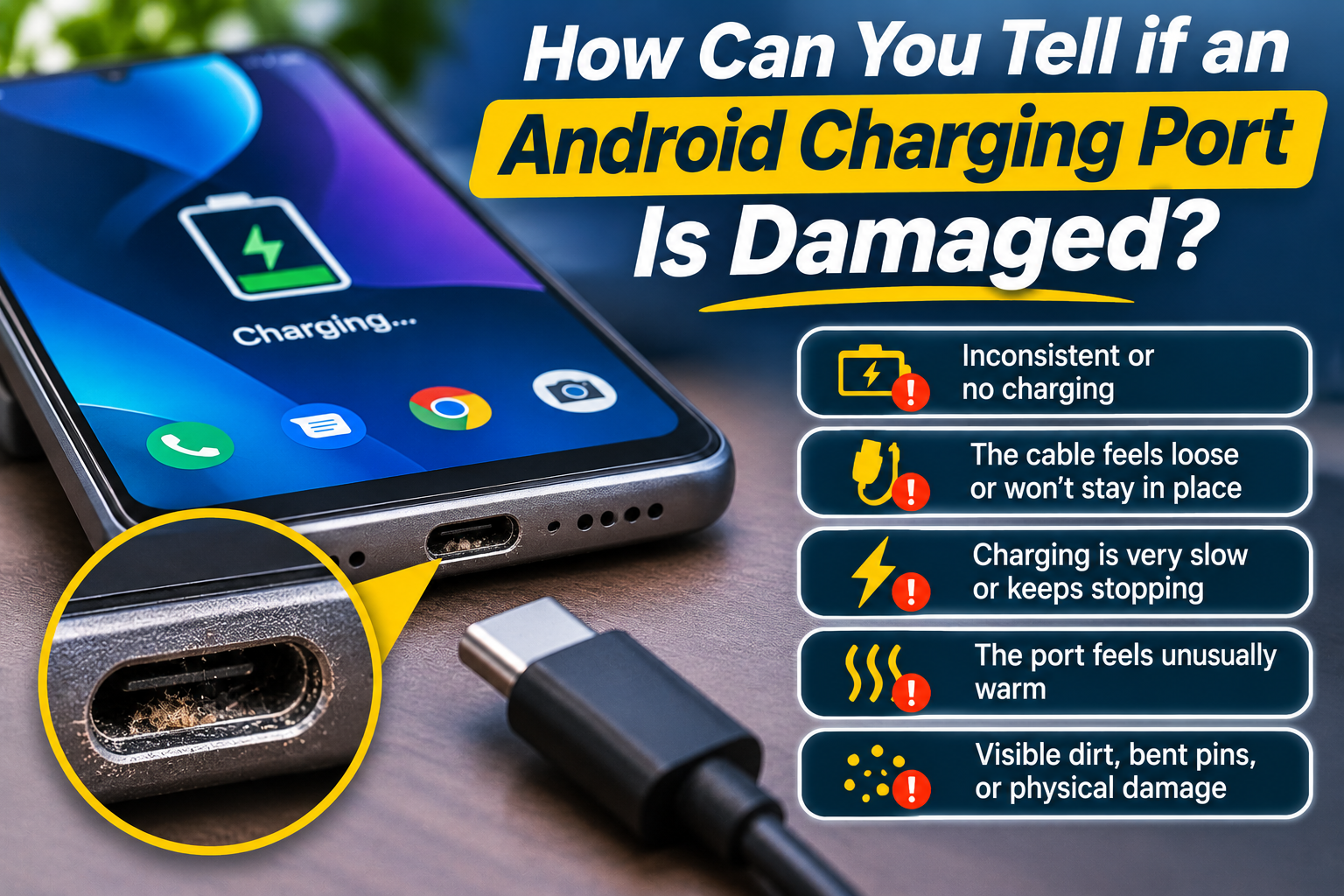
How Can You Tell if an Android Charging Port Is Damaged?
A damaged Android charging port does not always stop working all at once. Many problems begin with small changes: the cable feels loose, charging starts and stops, the phone only charges at an angle, or fast charging suddenly disappears. Those symptoms can come from physical wear, compacted debris, corrosion, a damaged cable, or a failing charging assembly.
Quick Repair and Electronics provides Android phone repair in East Village, NYC for charging-port problems and related power issues. The key is to separate a dirty or worn connector from battery or software problems before replacing parts.
The Cable Should Fit Securely Without Needing Pressure
A healthy USB-C connection should feel stable once the cable is inserted. If the plug rocks excessively, falls out easily, or only works when pushed upward or sideways, the port deserves inspection.
Compacted lint can create the same loose feeling because the connector cannot seat fully. That is why the first step is not automatically replacing the port. A technician should inspect the inside of the connector and determine whether debris, bent contacts, or mechanical wear is responsible.
Intermittent Charging Is a Strong Hardware Clue
Charging that repeatedly connects and disconnects when the phone moves often points toward the cable or port. Test with more than one known-good compatible cable. If the same symptom appears with multiple chargers, the phone becomes the more likely source.
Pay attention to whether the charging icon flickers on and off, whether the phone vibrates repeatedly as it reconnects, and whether data transfer to a computer is also unreliable. Those patterns can reveal contact problems inside the USB-C connector.
Fast Charging Can Disappear Before Normal Charging Fails
USB-C charging involves communication between the phone and charger. A damaged or contaminated contact may still allow basic charging while preventing the higher-power negotiation required for fast charging.
If the same compatible charger used to charge quickly and now falls back to slow charging, check the cable and adapter first. When several known-good accessories show the same behavior, the port or charging circuitry may need closer testing.
Visible Damage and Corrosion Should Not Be Ignored
Use a light to look into the port without inserting metal tools. Bent contacts, discoloration, packed lint, or greenish residue can indicate physical damage or corrosion. Liquid exposure can leave conductive residue even after the phone appears dry.
Do not scrape the connector with needles, paper clips, or other metal objects. USB-C contacts are small and easy to damage. Aggressive cleaning can turn a serviceable port into one that requires replacement.
Battery Problems Can Look Like Port Problems
A phone that charges slowly, drains quickly, or shuts down unexpectedly may have a worn battery rather than a damaged port. Likewise, overheating or heavy background activity can slow charging even when the connector is healthy.
The difference is often mechanical consistency. If charging changes when the cable moves, the port is more suspicious. If the cable stays stable but the battery percentage behaves abnormally, battery condition and power-management hardware deserve more attention.
Moisture Warnings Can Point Back to the Port
A recurring moisture-detected warning can appear when the connector contains moisture, residue, corrosion, or electrical irregularities. If the alert continues after the phone has been dry for a long time, the port should be inspected rather than repeatedly bypassed.
Charging through a contaminated connector can worsen corrosion. Wireless charging may temporarily reduce reliance on the port on compatible phones, but it does not solve a damaged USB-C assembly.
Waiting Until the Port Fails Completely Can Make Life Harder
Intermittent charging is inconvenient, but complete port failure can leave the phone without a practical way to charge or transfer data. If the battery runs flat before the issue is repaired, access to photos, messages, authentication apps, and work accounts can become more complicated.
Addressing the symptom while the phone still has power gives you time to back up important data and test the device under controlled conditions.
Data Transfer Problems Can Be an Early Warning
The USB-C port is not only for charging. It may also handle file transfer, wired accessories, Android Auto, or other connections. A phone that charges but repeatedly disconnects from a computer can have contact damage that is not yet severe enough to stop power delivery.
Testing more than one function can therefore reveal a partial port failure. If charging, data transfer, and accessory connections all become unreliable at the same time, the port deserves closer inspection even if the battery still gains charge.
Charging Problems Are Easier to Fix Before the Battery Reaches Zero
A weak connection often gives warning before complete failure. That window is useful. Back up photos and important files while the phone still has dependable power, and avoid draining the battery deliberately to test the port.
Once a damaged connector stops charging entirely, the repair becomes more urgent because the phone may eventually power off and remain unavailable. Addressing intermittent behavior early gives you more control over timing and reduces the temptation to force, bend, or repeatedly reconnect the cable.
What a Charging-Port Diagnosis Should Include
A proper charging check should test more than whether the battery percentage goes up. The technician can compare multiple known-good cables, inspect the connector under magnification, verify charging speed, test data communication, and check for heat or unstable power delivery. Those steps help distinguish a dirty port from mechanical damage, a worn battery, or a fault deeper in the charging circuit.
Small Habits Can Reduce Future Port Wear
Charging ports last longer when the connector is inserted straight, removed without twisting, and kept free from sideways pressure. Avoid using the phone heavily while a rigid cable is pulling on the port, and replace cables with bent or damaged plugs. Keeping the connector area dry and clean also helps prevent corrosion and compacted debris. These habits cannot reverse existing damage, but they can reduce the stress that causes many intermittent charging problems to worsen over time.
When to Stop Troubleshooting at Home
If the port is visibly bent, the cable becomes hot, charging drops in and out with the slightest movement, or the phone has recent liquid damage, stop experimenting with more chargers. Those signs point beyond a simple accessory issue. Professional inspection is safer than repeatedly stressing the connector or scraping inside the port, especially when the device still contains important data and daily-use accounts.
Get Android Charging Port Repair in East Village, NYC
A damaged charging port may show up as a loose cable, angle-dependent charging, repeated disconnects, missing fast charging, corrosion, or problems transferring data. The same symptoms can also come from debris, accessories, batteries, or charging circuitry, so diagnosis matters.
Quick Repair and Electronics provides Android phone repair in East Village, NYC for USB-C and charging problems. Bring the phone and, if possible, the charger you normally use. Our technicians can inspect the connector, test charging behavior, and explain whether cleaning, port repair, battery service, or another solution makes the most sense.