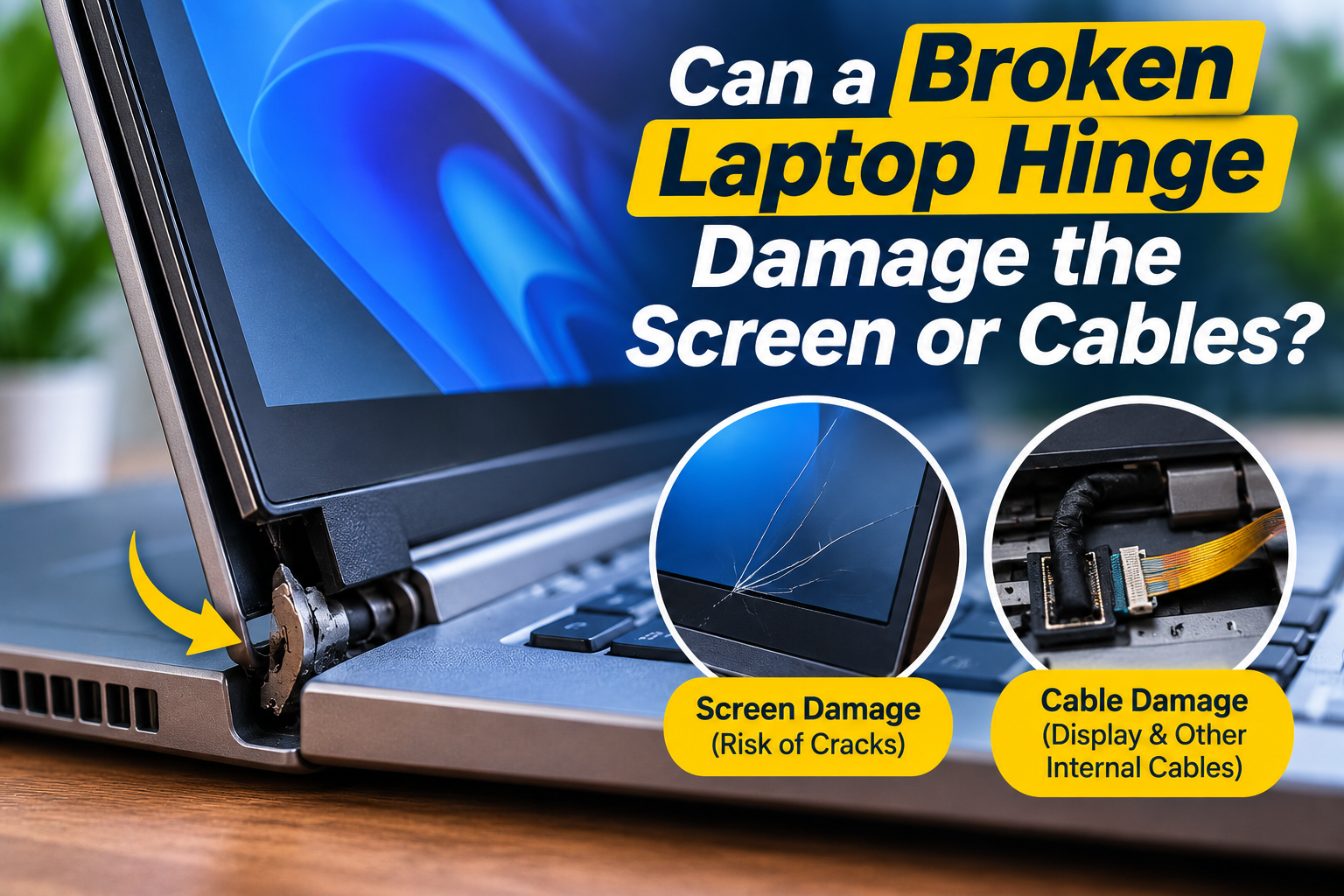
Can a Broken Laptop Hinge Damage the Screen or Cables?
A broken laptop hinge may start as a mechanical annoyance, but it can become a display and cable problem if it is ignored. The hinge supports the screen while also controlling how the lid opens and closes. When the hinge becomes loose, stiff, cracked, or detached from the casing, each movement can place abnormal stress on the display panel, bezel, internal video cable, Wi-Fi antenna wires, and surrounding plastic mounts.
Quick Repair and Electronics provides laptop repair in East Village, NYC for hinge damage, screen problems, charging faults, and other hardware issues. Repairing a hinge early is often less complicated than waiting until the casing separates or the display begins flickering.
The Hinge Is Part of a Larger Mechanical System
Laptop hinges are anchored to the display housing on one side and the base assembly on the other. Those anchor points rely on screws, metal brackets, and molded plastic or composite structures. When one mount cracks, the hinge may still move, but the force is no longer distributed the way the laptop was designed.
That extra leverage can pull on the screen frame, lift the palm rest, or twist the chassis. A hinge problem therefore rarely stays isolated if the laptop continues to be opened and closed every day.
Why Display Cables Are Vulnerable Near the Hinge
The internal display cable must travel from the motherboard in the base of the laptop to the screen in the lid. On many models, that cable passes directly through or beside the hinge area. It flexes slightly every time the lid moves.
A damaged hinge can pinch, stretch, or rub the cable. Early symptoms may include flickering, brief blackouts, colored lines, or a picture that changes when the lid angle changes. If the cable insulation or connector is damaged further, the screen may eventually stop displaying altogether.
A Broken Hinge Can Also Damage the Screen Housing
When the hinge pulls away from its mounting point, the pressure can crack the bezel or back cover around the display. In severe cases, the panel itself may flex when the lid moves. LCD and OLED panels are thin and do not tolerate twisting well.
You may see a gap forming at the lower corner of the screen, hear popping sounds, or notice the bezel separating as the laptop opens. Those signs mean the hinge is no longer moving independently; it is forcing the surrounding structure to move with it.
Wi-Fi Antenna Wires and Other Cables Can Be Affected
The display assembly may contain more than the video cable. Wi-Fi and Bluetooth antenna wires are often routed around the screen and through the hinge area. Some laptops also route webcam, microphone, or touch-display connections through the same path.
If the hinge damages those cables, symptoms can appear unrelated to the hinge at first. Wireless signal may weaken, the webcam may disappear, or the microphone may become intermittent. That is why a hinge inspection should consider the complete cable path, not only the visible crack.
Warning Signs That the Damage Is Progressing
A laptop hinge deserves attention when the lid becomes unusually stiff, one corner lifts before the other, the base separates near the hinge, or the screen changes when you move it. Grinding, popping, or cracking sounds are also warning signs.
Do not keep forcing the lid open because it still technically moves. Each cycle can enlarge broken screw mounts and increase pressure on the display cable. If the laptop must remain in use briefly, minimize lid movement and keep the screen at a stable angle.
Why Glue Alone Is Usually Not a Complete Repair
Temporary adhesive fixes may hold a cracked plastic cover together, but they do not necessarily restore the original hinge structure. If the metal hinge is stiff or the mounting points have broken away, glue can simply transfer the stress to another weak area.
A durable repair may require restoring the mounting structure, replacing a damaged housing component, adjusting or replacing the hinge, and checking the cables that pass through the area. The exact approach depends on the laptop design and how far the damage has progressed.
Protect Your Data Before the Laptop Becomes Harder to Use
Hinge damage does not usually erase files, but a worsening hinge can make the laptop difficult to open or close safely. If the display cable fails completely, you may lose access to the built-in screen even though the storage remains intact.
Back up important files while the computer is still usable. If the laptop already has display problems or will not boot, Quick Repair and Electronics can also evaluate whether data recovery is needed before other repair work begins.
The Damage Often Starts Small and Then Accelerates
Hinge failures tend to worsen because each opening cycle applies force to the same weakened area. A small crack around a screw mount can become a larger separation in the palm rest or display cover. Once the hinge shifts out of alignment, the lid may twist slightly every time it moves, increasing stress on the screen and cables.
This is why early repair often gives more options. When the housing is only beginning to loosen, the surrounding parts may still be reusable. Waiting until the hinge tears through the casing can turn a localized repair into a larger structural job involving several components.
How to Use the Laptop Safely Until It Can Be Checked
If you need the computer briefly before repair, reduce unnecessary lid movement. Keep the laptop on a stable surface, open it slowly with both hands near the center, and avoid carrying it by the screen. Do not force a stiff hinge past the point where resistance increases.
An external monitor can sometimes help if the built-in display becomes unreliable, but it does not solve the mechanical problem. If the bezel is separating or cables are exposed, stop moving the lid entirely. Protecting the structure for a few days is better than turning a repairable hinge into a damaged screen assembly.
What a Technician Checks Beyond the Visible Hinge
A hinge inspection should include the metal hinge mechanism, mounting points, display housing, bezel, cable routing, and nearby antenna wires. The technician should also open and close the lid carefully while watching for display flicker or unusual resistance. That broader check matters because the visible crack may be only the first sign of damage spreading through the screen assembly.
Get Laptop Hinge Repair in East Village, NYC
A broken hinge can damage more than the hinge itself. Continued movement may affect the screen housing, display cable, antenna wires, webcam connections, and the structural parts that hold the laptop together.
Quick Repair and Electronics provides laptop repair in East Village, NYC for broken hinges and related screen or cable problems. If the lid is stiff, loose, separating from the case, or causing the display to flicker, bring the laptop in before the damage spreads. Our technicians can inspect the hinge, mounting points, and internal cable routing and explain which repair options are appropriate for the device.