Battery Draining Fast After an Update? | Quick Repair NYC
Why Is My Battery Draining So Fast After an Update?
Installing a phone update is supposed to improve security, fix bugs, and add features, so it can be frustrating when the battery suddenly starts draining much faster afterward. In many cases, the change is temporary because the phone is finishing background work. In others, an app, system setting, weak battery, or hardware problem may be contributing.
Quick Repair and Electronics provides phone repair in East Village, NYC for battery problems, charging issues, overheating, screen faults, and other smartphone concerns. If battery life stays unusually poor after an update, the useful question is not simply whether the update caused it, but what changed in the way the phone is using power.
Why Can Battery Drain Increase Right After an Update?
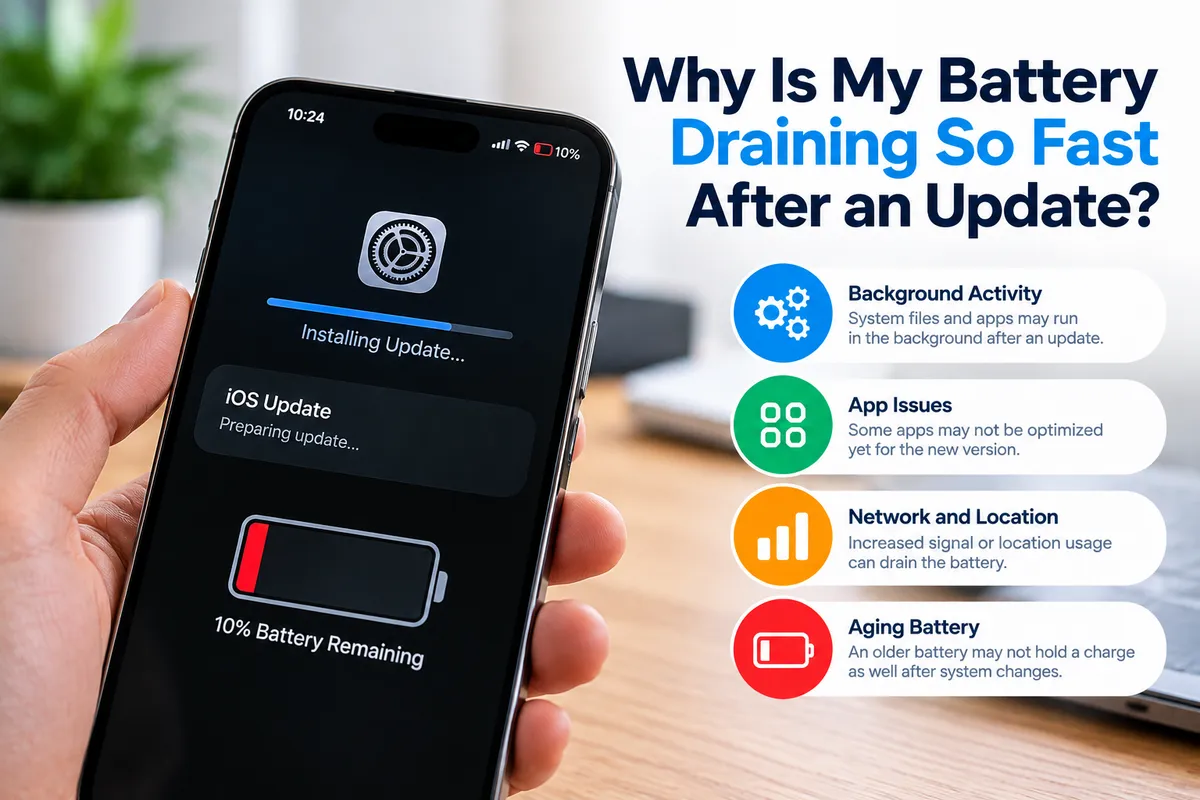
Major operating-system updates can trigger background tasks that continue after installation. The phone may reindex files, optimize applications, rescan photos, synchronize cloud data, and complete system processes.
Those tasks use the processor, storage, network connection, and sometimes location services. That can temporarily increase power consumption and make the phone feel warmer than usual.
If the drain began immediately after an update, give the device time to finish its background work before assuming the battery itself has failed.
How Long Should Post-Update Battery Drain Last?
There is no universal number of hours that applies to every phone. A device with many apps, a large photo library, or extensive cloud synchronization may need more time to settle.
What matters is the trend. If battery life gradually returns to normal, temporary background activity was likely a major factor. If the phone continues losing charge unusually fast after normal use has resumed, further troubleshooting makes sense.
Persistent heat, sudden shutdowns, or severe drain while idle are stronger reasons to investigate.
Check Which Apps Are Using the Most Battery
Both Android and iPhone devices provide battery-usage information that can help identify applications consuming unusual amounts of power.
Look for an app that suddenly appears near the top of the battery-usage list even though you have barely used it. An application may be stuck syncing, running excessively in the background, or not behaving well after the update.
Updating the affected app, restarting the phone, or temporarily removing an obviously misbehaving application can help determine whether software is responsible.
Background Sync and Location Services May Have Changed
Updates can change the way some permissions and background features operate. Email may resynchronize, photos may upload again, cloud storage may process files, and location services may become more active.
Review background activity, location access, push email, and cloud synchronization. Do not disable everything blindly. The goal is to identify unusual activity while keeping the features you actually need.
Weak Signal Can Make Battery Drain Look Like an Update Problem
A phone uses power to maintain cellular and wireless connections. In poor reception areas, it may work harder to search for or hold a signal.
If the update happened around the same time you changed locations, carriers, or network settings, signal conditions may be contributing. Compare battery behavior where reception is normally strong.
If drain is much worse only in low-signal areas, the update may not be the main cause.
Could the Update Have Exposed an Aging Battery?
Yes. An update does not necessarily damage a battery, but new software can make an existing weakness more noticeable.
Lithium-ion batteries lose usable capacity as they age. A battery already near the end of its practical life may struggle more when post-update processes increase power demand.
Signs of battery deterioration can include rapid percentage drops, unexpected shutdowns, short runtime, overheating, or a phone that performs normally only while connected to a charger.
If battery life was already declining before the update, the timing may be coincidental rather than proof that the software caused the problem. This matters especially when an older phone is heavily used.
What If the Phone Is Overheating After the Update?
Some warmth during post-update processing can be normal, but persistent or excessive heat deserves attention because heat and battery drain often appear together.
A processor that stays busy, an app stuck in the background, poor signal, charging problems, or a deteriorating battery can all increase temperature.
Remove a thick case temporarily, avoid demanding tasks, and let the phone cool naturally. Do not place it in a refrigerator or freezer.
If the phone becomes uncomfortable to hold, displays temperature warnings, or stays hot while idle, professional diagnosis is more appropriate.
Can a Restart Fix Battery Drain After an Update?
Sometimes. Restarting can stop a process that became stuck during or after the update and reload system services cleanly.
It is a reasonable first step after the phone has completed installation and initial background work.
Also check for follow-up system patches and app updates. If restarting does not improve the problem, continue with battery-usage checks rather than repeatedly resetting the phone.
Should You Factory Reset the Phone?
A factory reset should not be the first response to battery drain.
It erases local data and settings and may not solve a worn battery or hardware fault. Before considering a reset, back up important information and rule out obvious app, synchronization, signal, charging, and battery-health issues.
When drain is accompanied by swelling, charging faults, heat, or unexpected shutdowns, hardware evaluation should come first.
When Does Fast Battery Drain Need Professional Repair?
Professional inspection makes sense when battery drain remains severe after the phone has had time to finish post-update processing and basic software checks have not helped.
Have the device evaluated sooner if it shuts down unexpectedly, becomes unusually hot, charges inconsistently, loses large amounts of power while idle, or shows signs of a swollen battery.
A technician can help separate software-related power use from battery deterioration, charging-system problems, or other hardware issues.
For broader device concerns, our phone repair in NYC service covers battery, charging, display, liquid-damage, and other hardware problems.
Battery Drain on Android Phones After an Update
Android devices vary by manufacturer, model, battery size, installed apps, and software interface, so two phones running the same Android version may behave differently after an update.
Manufacturer services, app optimization, adaptive battery features, background restrictions, and network settings can all affect power use.
If an Android phone keeps draining rapidly after the temporary post-update period has passed, check battery usage and app activity first. If it is also overheating, shutting down, or charging abnormally, our Android phone repair in NYC service can help evaluate whether hardware is contributing.
Battery Repair in East Village, NYC
Fast battery drain after an update is not automatically a sign that the update permanently damaged the phone. Temporary indexing and synchronization may be responsible, but persistent drain can also reveal an inefficient app, poor signal, an aging battery, overheating, charging problems, or another fault.
Quick Repair and Electronics provides professional phone repair in East Village, NYC for customers dealing with battery and power problems.
If your phone has not returned to normal after an update, bring it in and tell us when the drain started, how quickly the battery is dropping, whether the device gets hot, and what troubleshooting you have already tried. Those details can help narrow down the cause and determine the appropriate next step.